Built for Football Manager Project players

Track every player's growth.
Save hours every single week.

FMP Tracker turns the game's raw QI numbers into clear growth records, smart tags, and notes that follow players across teams — all synced between your phone and PC automatically.

One-click list sync Cross-device cloud sync Bilingual EN / 中文
Transfer Market — Shortlist ● Synced 5s ago
M
Marcus ValeFC · Age 21targetwonderkid
QI 88182
GI ▲ +5
K
Kai OkoroCM · Age 24buy
QI 72100
GI ▲ +2
R
Rui CostaCB · Age 29sell
QI 55118
GI ▼ −1
J
Jonas FryeGK · Age 27
QI 41809
GI 0
Core features

Everything you track by hand — automated.

Four capabilities that turn hours of spreadsheet work into a single glance.

QI Growth Records

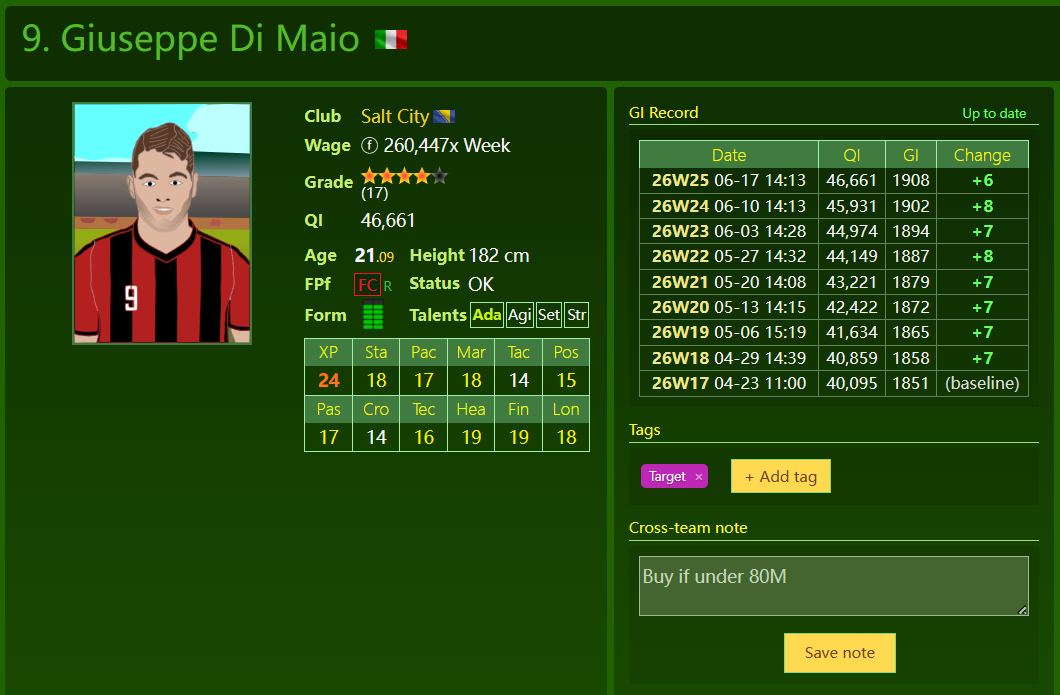
Every weekly training update is recorded by 1 click. See each player's QI history, week-over-week change, and whether they've been updated this cycle — at a glance, on every list page.

⏱ Saves ~3 hrs / week QI history table screenshot
TI / GI Trend Badges

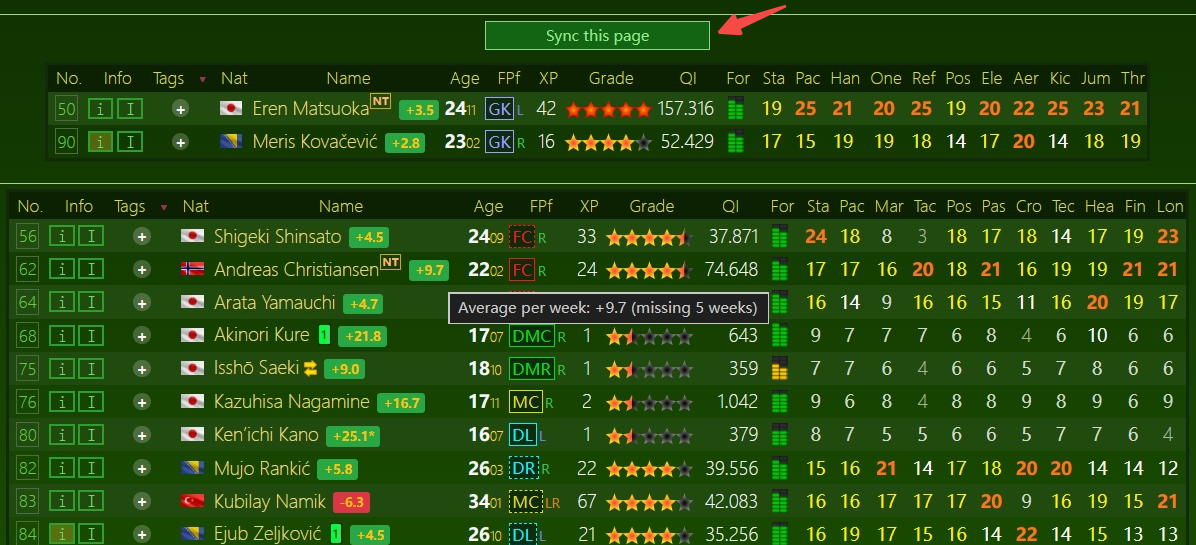
Raw QI means nothing. The Growth Index turns it into a clean number so a +5 jump actually means something. Color-coded badges make a 50-player list readable in seconds.

⏱ Stops re-scouting players TI / GI trend badges screenshot
Player Tag System

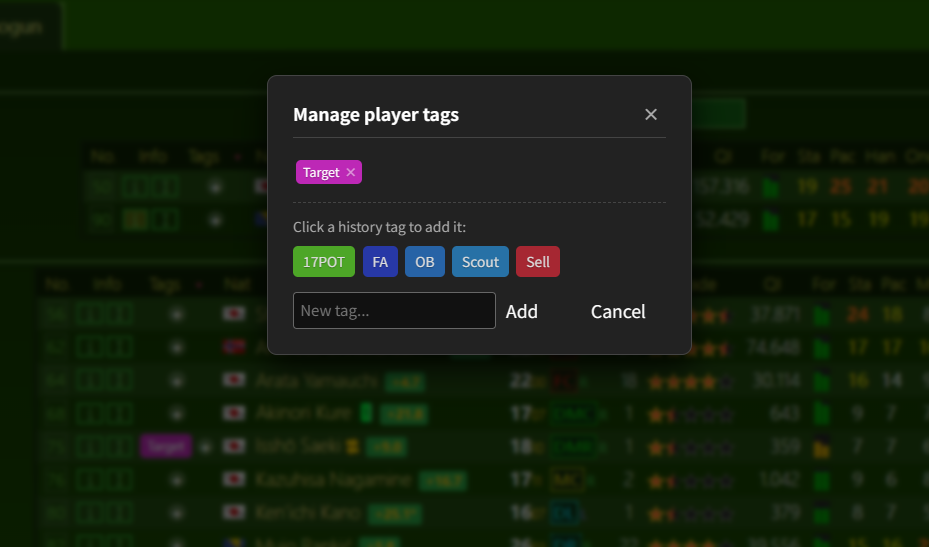
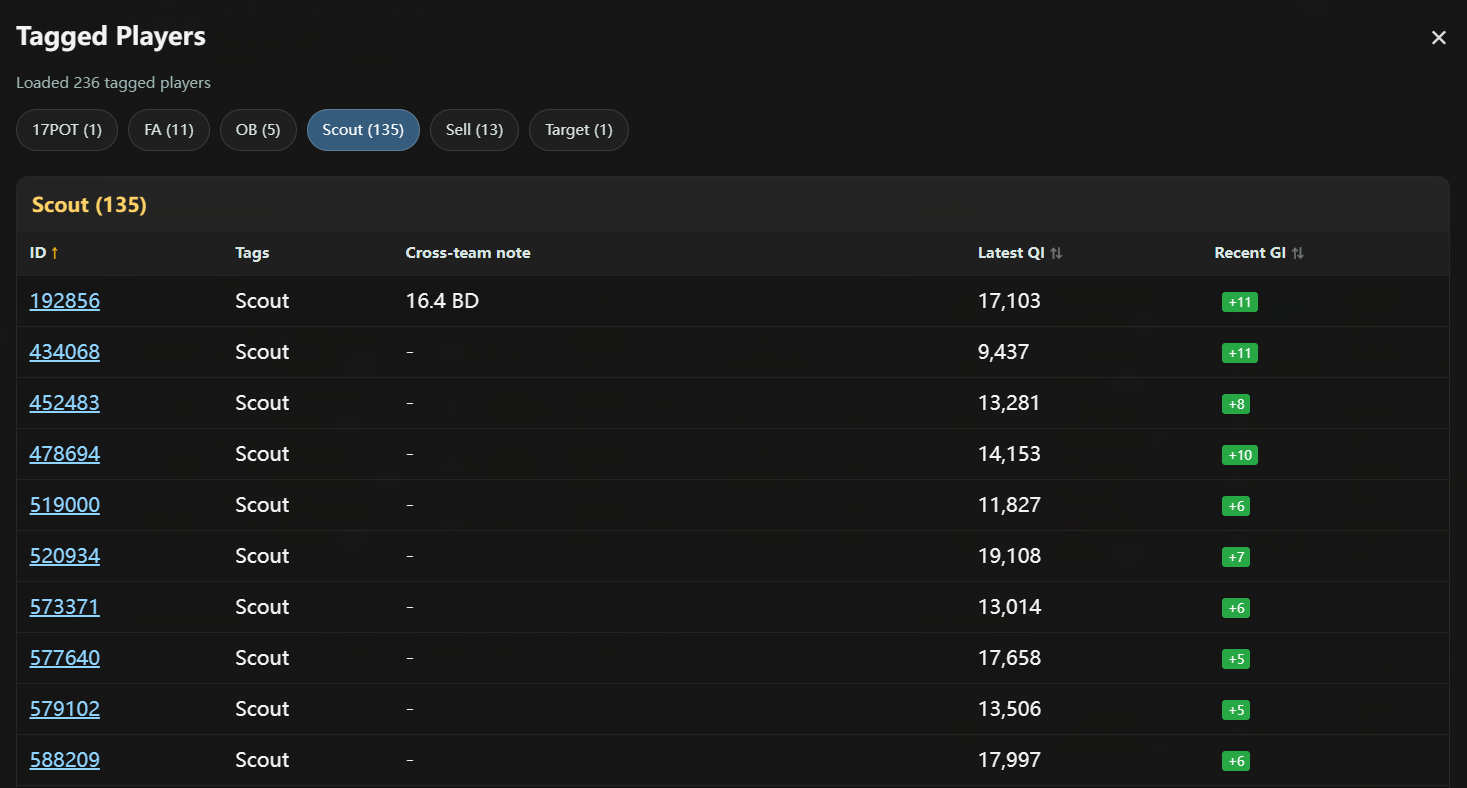
Tag up to 5 colored labels per player — "target", "wonderkid", "sell", "bloomed". Filter any list to show only tagged players. A dedicated Tagged Players board gives you a dashboard across every team and list.

⏱ Never lose a scouted prospect Player tag board screenshot
Cross-Team Notes

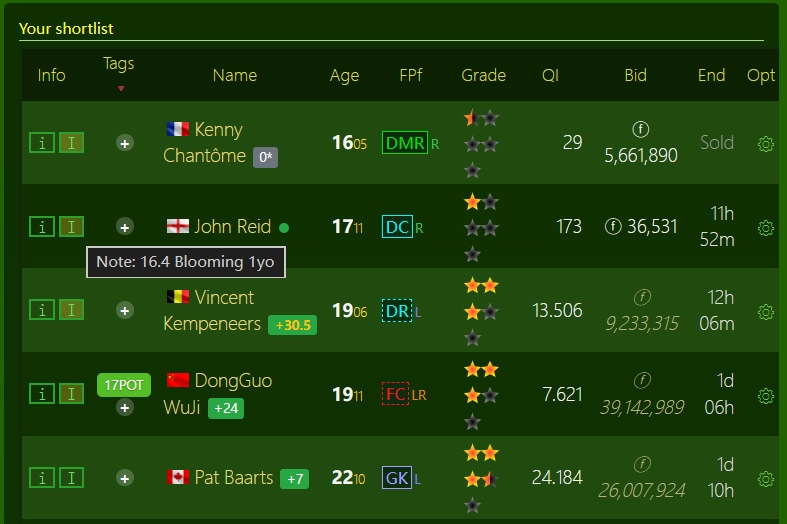
Notes bind to the player, not the team. Write "sell clause 20%" or "rejected us twice" and it stays attached through transfers and loans — visible right in the transfer list so you never re-evaluate the same player twice.

⏱ Eliminates duplicate scouting Cross-team notes screenshot
Cloud Sync — Phone & PC

Scout a player on your phone during lunch, see the same tags, notes, and full QI history on your PC when you get home. One-click batch sync records an entire transfer list in seconds. No export files, no USB drives — it just works.

⏱ Zero manual data transfer Cloud sync login screenshot
How it works

See it in action.

Replace each demo block below with a real screenshot — the layout is ready.

Weekly QI history, built for you.

Every time you open a player, the tool merges their live QI with the cloud history and shows a clean timeline — week, QI, GI, and the change. No more keeping a spreadsheet you have to update by hand.

  • Auto-records each Wednesday training update
  • Never duplicates during the update window
  • Up/down color coding per week
⏱ Saves ~3 hours of spreadsheet work each week
WeekQIGIChange
W24 · 202687,012▲ +1
W23 · 202686,080▲ +1
W22 · 202685,595▼ −1
W21 · 202686,080▲ +3

A scouting dashboard, always one click away.

The floating Tagged Players board groups every player you've marked by tag — across every team and every list. See ID, tag, note, latest QI, and GI trend in one place. Filter the transfer market down to just your targets.

  • Up to 5 colored tags per player
  • Filter any list by tag instantly
  • Tags sync to the cloud automatically
⏱ Find any tagged player in seconds, not minutes

★ Tagged Players Board

target (4)
Marcus Vale 4 ▲ Diego Sol 3 ▲ A. Becker 4 ▲
wonderkid (2)
Marcus Vale 4 ▲ Rui Costa -3 ▼
sell (1)
Rui Costa -3 ▼

One account. Every device.

Sign in with email and password. The tool fetches and writes cloud history automatically as you browse — and a one-click "Sync this page" button records an entire list in seconds. Your data lives in a secure PostgreSQL cloud database.

  • Scout on phone, continue on PC
  • Batch-sync a full list in one click
  • Tags & notes push instantly
⏱ Zero manual data transfer — ever
Phone
PC
Tags, notes & QI history — always in sync
~3 hrs
Saved per week
1 click
To sync a full list
2 devices
Phone & PC, real-time
∞ players
Tracked across teams
Why it matters

Spreadsheets vs. FMP Tracker

The manual way vs. the automated way.

The old way

  • ✗ Manually copy QI numbers into a spreadsheet every week
  • ✗ Notes reset when a player transfers teams
  • ✗ No way to filter your shortlist by what you tagged
  • ✗ Phone and PC data never match — you re-do the work
  • ✗ Re-scouting players you already evaluated

With FMP Tracker

  • ✓ QI history recorded automatically, every week
  • ✓ Notes follow the player across teams, forever
  • ✓ Filter any list to just your tagged targets
  • ✓ Cloud sync keeps phone & PC identical
  • ✓ One-click batch sync for an entire list

Join the Waitlist

Be first in line when FMP Tracker opens up. Drop your details and we'll reach out with early access.

🔒 We'll only use this to send you early-access updates. No spam.